

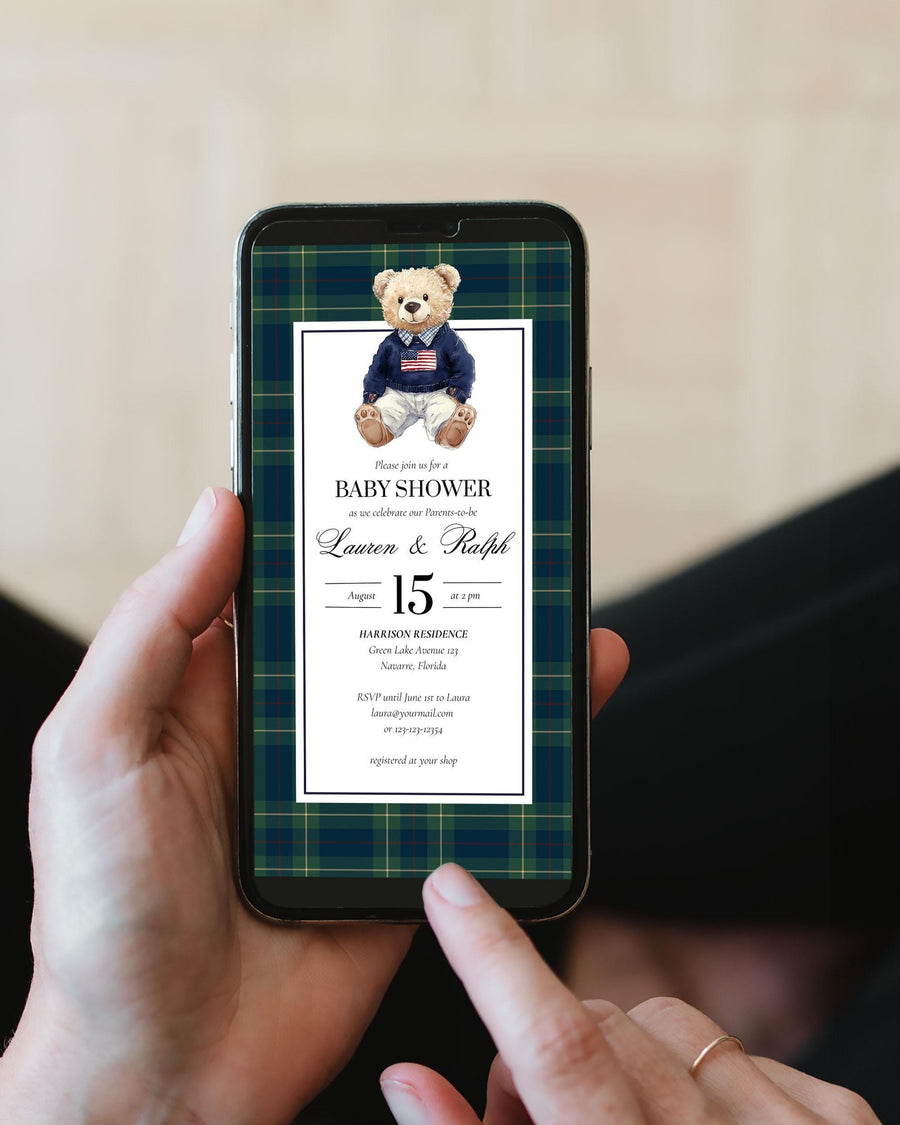


Video Invitation Template, Animated Polo Teddy Bear Baby Shower Canva Invite, Digital Download 068RL-ANINV
Pairs well with
Instant Access
Get immediate access to your template after purchase!
Customizable
Change texts, fonts, and colors with ease!
Print or Share Digitally
Choose to print at home, go professional, or send out digitally!

Create a polished preppy teddy bear baby shower with this animated video invitation template. This digital template is easy to personalize, download instantly, and share by text or email—no physical item will be shipped.
🛒 𝐖𝐇𝐀𝐓 𝐈𝐒 𝐈𝐍𝐂𝐋𝐔𝐃𝐄𝐃?
• Baby Shower Invitation - 1080x1920px - 20sec long
This is an animated video invitation — made to send straight to your guests' phones, with nothing to print.
1. Open it in Canva
After you order, you'll get a link to personalise it in Canva. First time using Canva? Start here: How to Access and Edit Your Canva Template.
2. Personalise
Edit the names, date and details to suit your celebration, and watch the timing as you go so every scene reads comfortably.
3. Download as a video & send
Download your invitation as an MP4 video, then share it by text, email, WhatsApp or social — wherever your guests already are.
This one's made to send, not print. Once you've personalised your video in Canva, download it as an MP4 and share it however suits you — by text, email, WhatsApp or on social. Add it to your wedding website too, if you have one.
Want a matching printed invitation as well? Just message me — I'm always happy to help you pull a set together.
Thank you so much for being here — whether you're just browsing or you've already ordered, I want this part to feel clear and easy.
Instant delivery
Everything I sell is a digital template you personalise yourself, so there's nothing shipped to you and nothing to wait for — you'll have access the moment your order goes through.
Your access
Your template opens in Canva (free to use). Once you make your own copy, it lives in your Canva account — so there's no expiry to worry about, and you can come back to edit it whenever you like. New to Canva? My step-by-step guide walks you through it: How to Access and Edit Your Canva Template.
Returns
Because every template is a personalised digital file, I'm not able to offer returns, exchanges or cancellations. But if something isn't right, please email me at office@marryful.org — I read every message and I'll always do my best to make it right.
Happy to help — here are the quick answers to what most people ask. For everything else, my full FAQ guide has you covered.
Can I see how editing works before I buy?
Absolutely. My Canva guide shows you exactly how the template opens and edits, step by step, so you know what to expect.
When do I get it?
Straight away. This is a digital template — there's nothing shipped to you. You'll get a link to open it in Canva as soon as you order.
Can you help if I get stuck?
Always — just message me. With Canva I can't log into your file the way I can with Corjl, but my step-by-step guide answers the common questions, and I'm only a message away.
Still wondering about something? Have a look through my full FAQ guide or send me a message — I read every one.
