
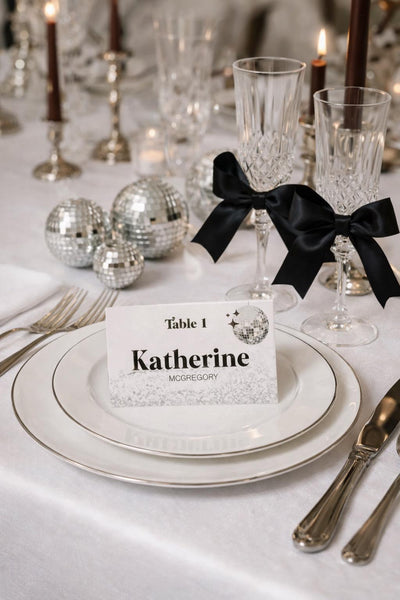

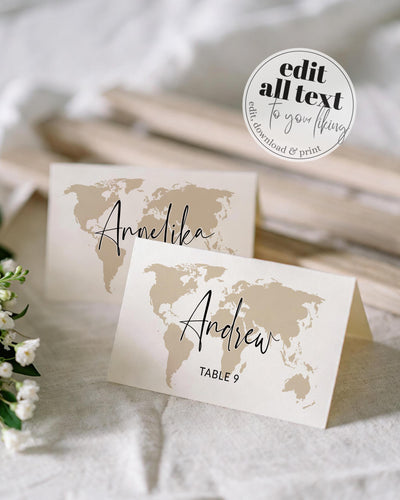


Edit your place card template, duplicate it for every guest, and print it flat or tented.
Sort by:
The tiny piece of cardstock that tells each guest where to sit. And, with the name field swapped for a dish name, the same card labels every platter on the buffet. Editable place card and food label templates across tent-fold and flat designs.
New to place cards? → Our step-by-step guide covers editing the longest name first, duplicating for every guest, printing and folding.Designs for every kind of table. Tent-fold place cards (fold across the middle, stand on the plate), flat place cards (lay on the napkin or slot into a holder), menu-choice place cards with the meal selection printed on the back. The same designs double as food labels / buffet tent cards: type the dish name instead of a guest name to label a grazing table, dessert spread, taco bar or holiday buffet. Themed to match wedding and shower suites.
How to edit place cards (and food labels). Open the template in Corjl. Start with the longest name (or longest dish name) to set the font size that fits everyone, and adjust position until it looks right. Then duplicate that page, replace the text with the next guest or dish, duplicate again, repeat until everything is on its own page. When you download, select ALL pages so every card is included. Easiest on a computer with Chrome.
Where to print. Three options. Corjl Prints: choose size and quantity inside the editor, shipped to your door. Print at home works for small runs on a good colour printer with full ink. For double-sided cards, print one at a time; 2-up printing won't keep the front and back aligned. If your design has a lot of colour, professional printing gives a much cleaner finish. Prints of Love for proper cardstock with free shipping (code marryful10 for 10% off; this is an affiliate link, I may earn a commission at no additional cost to you. Thank you for your support!). More in our printing guide →
Pair with: Menu Cards · Table Numbers · Seating Charts · Stickers & Labels
FAQ
Can I use these as food labels too?
Yes, that's one of the most popular ways to use them. Instead of a guest's name, type the dish name (e.g. "Caprese Salad", "Mac & Cheese") to make food tent cards for a buffet, grazing table, dessert spread or taco bar. Same template, same editing, just different text.
How do I make tent-fold cards?
Print on cardstock, score down the centre with a bone folder or scoring tool, fold. Most home printer cardstock works fine.
Can I add menu choices on the back?
Yes, you can add a backside directly in Corjl yourself. No need to message me.
Why duplicate pages instead of pasting all names at once?
Corjl doesn't have a spreadsheet view, so each name or dish gets its own page in the document. You edit one card, then duplicate it and change the text. It sounds tedious; it takes about 30 seconds per card once you have a rhythm.
Guides & inspiration
![Woman receiving her printed templates from the postman [AI]](http://marryful.org/cdn/shop/articles/Prints_of_love_package_b0f84256-c190-40d0-8d2f-98a18707b81f.jpg?v=1780662238&width=1)
Fast turnaround, free shipping and a marryful discount. You download, upload and order.
![Woman editing her template on a laptop in Corjl. [AI]](http://marryful.org/cdn/shop/articles/edit_in_Corjl_f45d2de7-a487-4400-bac0-f65744c5e777.jpg?v=1780662260&width=1)
Change the fonts, colours, photos, illustrations and more in Corjl, and make the template your own.

marryful templates are set up in US sizes, but they print in EU sizes too. Here's how.

Skip the post box and send it by text, email or Paperless Post, with envelopes and RSVP tracking.
![Woman downloading her Corjl Template on a Laptop [AI]](http://marryful.org/cdn/shop/articles/How_to_download_blog_image_56465207-d683-4aa2-9353-e7f2cb3f2a6c.jpg?v=1780662120&width=1)
Pick the right format, grab every page and print at 100%, whether you print at home or with a pro.