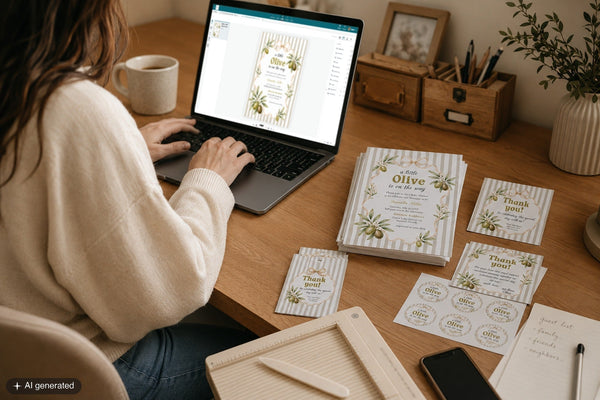
![Woman editing her template on a laptop in Corjl. [AI]](http://marryful.org/cdn/shop/articles/edit_in_Corjl_f45d2de7-a487-4400-bac0-f65744c5e777.jpg?v=1780662260&width=1600)
You found the design you love, the right colours and the right feel, and now you want to make it properly your own. In Corjl, you can. Change the wording, the fonts and the colours, swap in your own photos, add your own touches. It's your design to shape, with no software to download and no design skills needed. And you're covered the whole way: if something ends up not quite right, you can revert to the original in a click, and if you'd rather a hand, I can log into your template and advise or adjust it for you.
Here's how to edit your template in Corjl.
What you'll need
- Your order number and any email you can access
- A computer or phone with a web browser. That's it
How to edit your template, step by step
Open your template in Corjl
Use the link in your instructions PDF, or go straight to corjl.com/orders and sign in with your order number and any email you currently use. It doesn't have to be the one you checked out with. Your template opens right in the browser.
Click a text box and type
Click any piece of text and start typing your own details: names, dates, wording, whatever your design calls for. Everything updates instantly, right there in the browser.
Make it truly yours
This is where you have real room to play. You can:
- Choose from over 200 fonts, and change text colours and sizes
- Add illustrations (many templates already include matching graphics), or upload your own
- Upload your own images and photos
- Add a QR code, handy for your registry, RSVP form or wedding website
- Add a clickable link
And all of it comes at no extra cost: no font fees, no graphic fees, nothing held back behind an upgrade.
Experiment freely, you can always go back
Try things, change your mind, try again. If an edit doesn't look right you can undo it, and if you ever want a clean slate you can reset the whole template back to the original design in one click. Nothing you do is permanent, so there's no need to be precious about it.
Download your finished design
When it looks right, download it. If your template has more than one page, select all pages so nothing gets left behind. Full download guide here, and multi-page templates are covered here.
Print it or send it
Print straight from Corjl with Corjl Prints (the print service built into the editor: click Print and it prints and ships to you), send the file to Prints of Love or a local shop, or print at home. Going digital instead? You can email or text your design too.
Editing on your phone? You can. Corjl runs in your phone's web browser, with nothing to install. A bigger screen makes detailed edits easier, but a phone is perfectly fine for quick changes from the sofa.
Corjl questions, answered
How much can I change?
A lot. You can edit all the text, choose from over 200 fonts, change colours and sizes, add or swap illustrations, upload your own photos, and add a QR code or a clickable link, all at no extra cost. The design is your starting point; you make it yours from there.
Do I need to download any software?
No. Corjl runs entirely in your web browser. There's nothing to install, and you don't need Photoshop, Illustrator or any design experience.
How do I get back into my template later?
Go to corjl.com/orders and sign in with your order number and any email you can access. Your edits auto-save, so you'll pick up right where you left off.
What if I make a mistake?
Nothing's permanent. Undo any change, or reset the whole template to its original design at any time. And if you're not sure how to fix something, message me. I can log in and sort it out.
Can I edit on my phone?
Yes. Corjl runs in your phone's browser, with nothing to install. A computer is easier for detailed work, but a phone is fine for quick edits.
What if I get stuck?
Message me. Because Corjl templates live in your account, I can log in and take a look if something isn't behaving. You're not on your own with it.
That's the whole thing. Open it, make it yours, download, and you'll have something that looks designed, because it is.