The first Christmas job I get to every year is the photo card, because it is the one with a real deadline attached to it. The rest of the gift table can wait until the week before, but the card has to be picked, filled with this year's picture and sent before everyone on your list has left town for the holidays.
Photo cards, wine labels, envelope liners and gift tags: you open each one in your browser, type your names and drop in your photo, and you have a print-ready file the same evening. Printing it once or forty times costs no more.
Try it before you pay. Every design has a free demo. Open it, drop in your photo and type your family name, and see how it sits before you spend anything. The photo cards below start at .
Which Christmas photo card should you send this year?
Start from how much of the year you want the card to carry. There are three kinds to pick from. A single-image card keeps it to one good picture and a line of greeting. A multi-image card gives you a few frames in different layouts, so a handful of favorites share the front. A year-in-review card gives you a spot for a photo from each month, twelve little windows on the year for the people you only catch up with in December. All three edit the same way, so let your photos make the call.

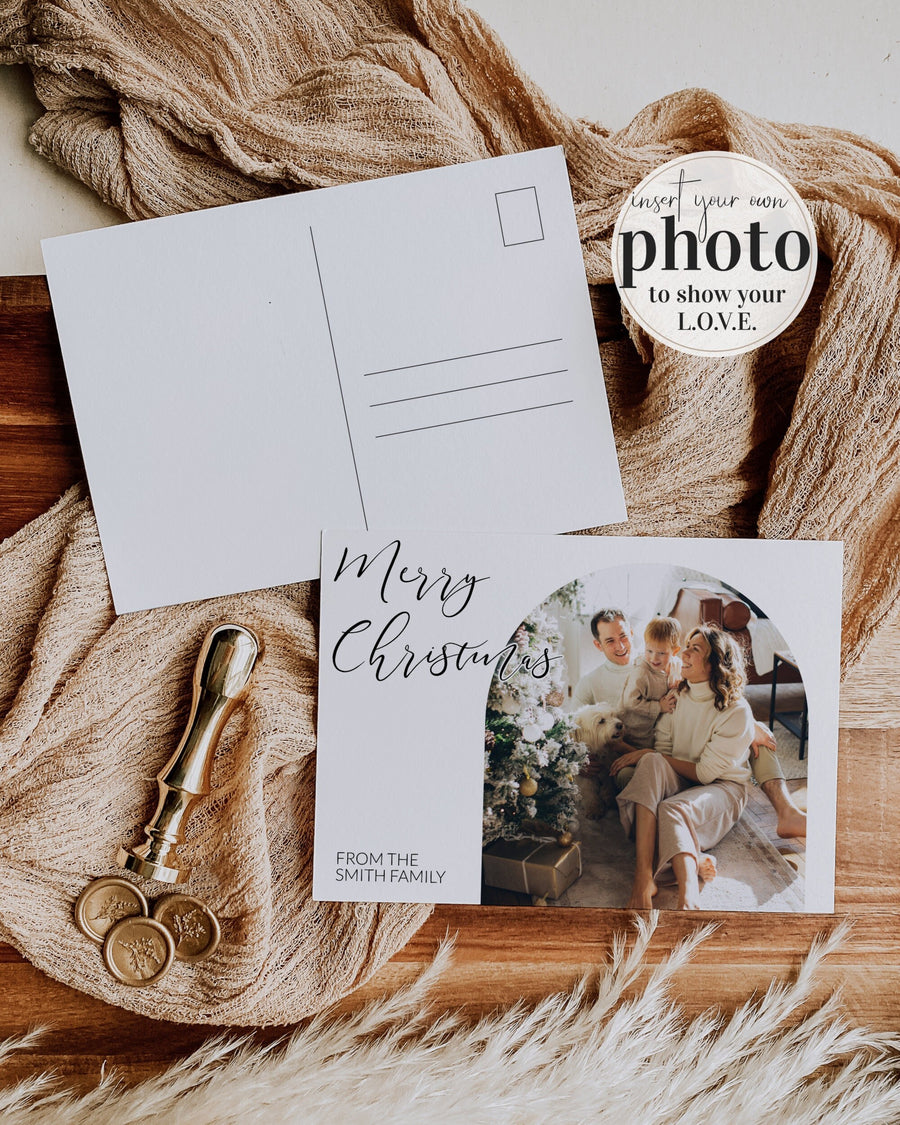
Single-image arch card
One photo inside a clean arch, with room for your family name and the year. The card to send when you have a single picture you love and want it to do all the talking.
Shop the arch card
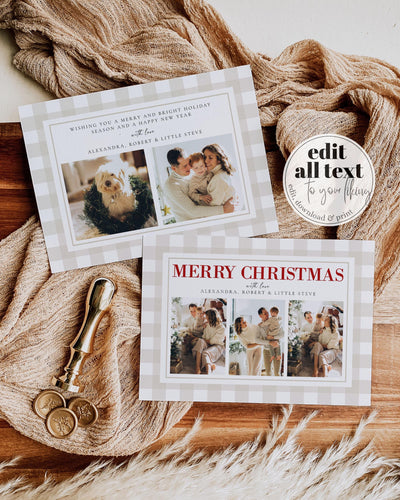
Multi-image hand-drawn card
A row of hand-drawn wavy frames holds several photos at once, each in its own little window. The one for the year when a single photo was never going to be enough.
Shop the multi-photo card
Year-in-review card
Rustic cowhide styling with a spot for a photo from each month and a short recap of the year, for the family that has a lot to fit onto one card.
Shop the year in review cardYou edit the card in Corjl, which runs in your browser with nothing to install. Drop your photos into the frames, type your greeting and your names, and the layout holds its shape while you do it. Reset it to the original whenever you want, so there is no way to spend an evening and end up with something worse than you started with.
One tip on the photos: use a landscape shot for a wide frame and an upright shot for a tall one, and the picture fills the space without you cropping the good bits off. If you would rather send the card straight to a phone than print it, there is a send-by-text version sized for a phone screen.
See all the Christmas card designsAre printable Christmas wine labels a good gift?
A personalized label turns a bottle you were bringing anyway into a gift with a name and a joke on it, and you print and peel it at home the same day. Each design is a full editable template, so you can dress one bottle for the host or a whole case for teachers and neighbors from a single file.

Santa martini label
A cheeky Santa-with-a-martini design that reads as a gift the moment it goes on the bottle. Add the name and it is ready for the host, a teacher or the office swap.
Shop the Santa martini label
Tipsy season label
A tongue-in-cheek line for the friend who will laugh at it before the cork is out. The text is editable, so you can keep the joke or write your own.
Shop the tipsy season label
Dear Santa label
A "Dear Santa" martini design for the secret-santa bottle or the hostess gift. Personalize the name and print as many as your list needs.
Shop the Dear Santa labelPrint wine labels on white sticker paper for peel-and-stick, or on plain paper and tape the ends at the back of the bottle. Both go on in seconds, and both come off in warm water, so nobody is scrubbing a label off a glass in January.
New to labels? Here is how to make and print your own wine labels, start to finish.
What is an envelope liner, and does a Christmas card need one?
A liner is a printed insert that peeks out when the envelope opens. A card does not need one, but it makes a handmade card feel finished. Each template comes in three sizes to fit standard card envelopes.

Santa martini gold star liner
Gold stars on a deep base, matched to the Santa martini card and label if you want the whole envelope to tie together. Editable and sized for three envelopes.
Shop the gold star liner
Candy cane stripe liner
A clean red and green candy-cane stripe that reads Christmas from across the room. The simple one that works behind almost any card front.
Shop the candy cane liner
Tartan liner
Red and green tartan with a rocking-horse motif, the dressed-up option for a classic Christmas card. Print all three sizes from the one file.
Shop the tartan linerNew to liners? Here is how to edit, size and print an envelope liner, start to finish.
What are the best printable Christmas gift tags?
One purchase gets you the whole sheet, so every gift under the tree gets a tag.

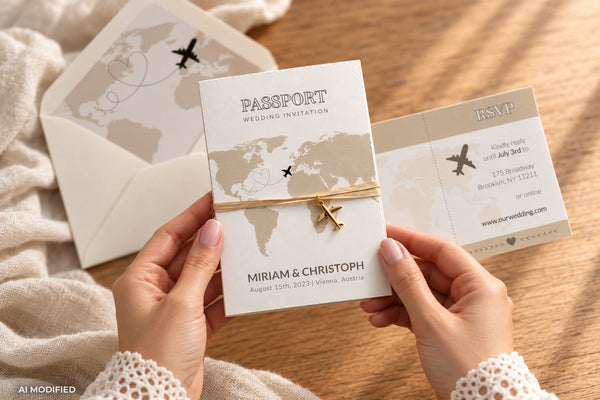
AI-generated image, shown for inspiration.

Retro Santa tags
Vintage red and cream tags that double as gift labels, cupcake toppers or stickers. Write a name on each and they turn a plain kraft-wrapped box into something that looks planned.
Shop the Santa tags
Santa Baby tags
Red and green Santa Baby tags made for a December shower, and as easy to tie onto a small gift or a jar of cocoa mix. Editable text, so the same sheet covers thank-yous and gift tags both.
Shop the Santa Baby tags
Preppy bear tags
Vintage plaid teddy-bear tags in tartan red, the dressed-up option for a classic Christmas gift or a December shower. Editable names, so one sheet covers thank-yous and gift tags.
Shop the bear tags
Rocking horse tags
Golden rocking-horse tags on red and green tartan, an heirloom-preppy look for a special present. Print a sheet, write the names, and tie one to each gift.
Shop the rocking horse tagsTwo ways to finish them: print onto cardstock and tie them on with ribbon, or print the same designs onto Avery printable rectangle label sheets for peel-and-stick labels. Either way, this guide walks through how to make and print your own tags and stickers.
What supplies do you need to wrap and finish your gifts?
Some links in this section are affiliate links. As an Amazon Associate I earn from qualifying purchases, at no extra cost to you.
The printables do the personal part. These are the everyday supplies that get a printed card into an envelope and a printed tag onto a box.
To finish the tags
- Chiffon ribbon: soft and thin enough to tie a tag onto a box without bulking up the bow.
- Garden twine: the rustic alternative to ribbon, and the one that suits kraft paper and the western card.
- A hole punch: one clean hole in the corner of each printed tag is the whole job. A single punch is faster than a craft one for a page of tags.
To wrap and box
- Kraft wrapping paper: plain brown paper is the best backdrop for a printed tag, because the tag becomes the color on the parcel.
- Kraft gift boxes: for the small homemade gifts, cocoa mixes, cookies, bark, that a tag turns into a present.
- Elegant gift bags: colors with golden accents, for the gift you want to look finished with a tag tied to the handle.
- Kraft gift bags: the simpler brown-paper version, for the awkwardly shaped gifts that will not wrap.
If you are printing at home
- Sturdy white cardstock: heavy enough that a printed card stands up and a tag holds a ribbon without tearing. Cut the tags yourself from a full page.
Where to print
Every design downloads print-ready, so the sizing is already set for you. For the photo cards I use a professional printer rather than my home printer. Corjl Prints is the one I reach for first, because it sits inside the same editor, so you edit your card and order professional prints in the same place, with nothing to upload and no cardstock to buy, and they arrive ready to send. If you would rather use an outside printer, Prints of Love (affiliate link) is a specialist stationery printer with lovely quality and free envelopes, and code marryful10 takes 10% off. I earn a commission if you order through it, at no extra cost to you. The wine labels, liners and tags are the home-print jobs: wine labels peel-and-stick on sticker paper or tape on, envelope liners print and trim, and gift tags print on cardstock and tie on. The linked guides cover the exact papers and sizes for each.
Get the photo card chosen and filled first, because that is the one with a deadline. The wine labels, liners, tags and wrapping can wait for a quiet evening closer to the day.
Christmas gift printables FAQ
Where should you print Christmas photo cards?
For photo cards I recommend a professional printer rather than a home one. The cards download print-ready, so there is nothing to resize. Corjl Prints is built into the editor, so you order prints in the same place you edit them, and an outside specialist like Prints of Love is the alternative. Both give a richer finish on the darker, more colorful designs than a home printer manages, and the prints arrive ready to send.
What size are the printable cards and tags?
Every design downloads as a print-ready file at the right size, so you print without resizing anything. Cards come at a standard card size, gift tags print several to a page, wine labels are sized to a standard bottle, and envelope liners fit standard card envelopes. For exact dimensions and papers, the printing guide covers each one.
Is there a shipping deadline for these?
No. These are digital templates, so there is nothing to ship to you. You buy the file, edit it and print or send it the same day, right up to Christmas Eve if you need to. The only deadline that applies is your own printer or your local print shop. If you are mailing physical cards to guests, work back from the postal deadline, not from ours.
How do I send a photo card by text instead of printing it?
Download the design as a JPEG rather than a PDF and send it in a message, an email or through a service like Paperless Post. The send-by-text versions are built for exactly this, sized for a phone screen. For a card with a short lead time, sending digitally is often the faster route. Here is how the digital send works.
When should you send Christmas cards?
Most cards go out in the first two weeks of December, and the bulk of card sending happens across that month. Aim to have printed cards in the post by the second week so they land before people travel. Digital cards have more room: because there is no print or post time, you can send them any evening in December, including the week of Christmas.
Do the gift tags come as a full set?
Yes. Each tag design is a full sheet you print as many times as you need, so one purchase tags every gift you are giving. Edit the names once or leave them blank and handwrite them, print on cardstock, cut them out and punch a hole for the ribbon.
Do you need special software to edit these?
No. Everything edits in Corjl, which runs in your browser with nothing to download. Type your text, drop in your photo, and the layout stays put while you work. You can log back in with your order number from any device, and reset the design to the original at any point. When you are happy with it, you can order prints through Corjl Prints without leaving the editor.
Get the card done first
The photo card is the one Christmas gift job with a real deadline on it. Pick your design, drop in this year's photo, and it is off your list tonight. The wine labels, liners and gift tags can follow.
Shop the Christmas cards collection